
Beats 360
AI-Assisted Creative Production Workflow
A self-initiated exploration of how a production-ready 3D product asset can be extended into campaign visuals, color variations, multiple formats, and motion through a controlled generative AI workflow.
Personal Concept Project · 2026
Maya · Rhino · Substance Painter · Photoshop · Runway · Figma.
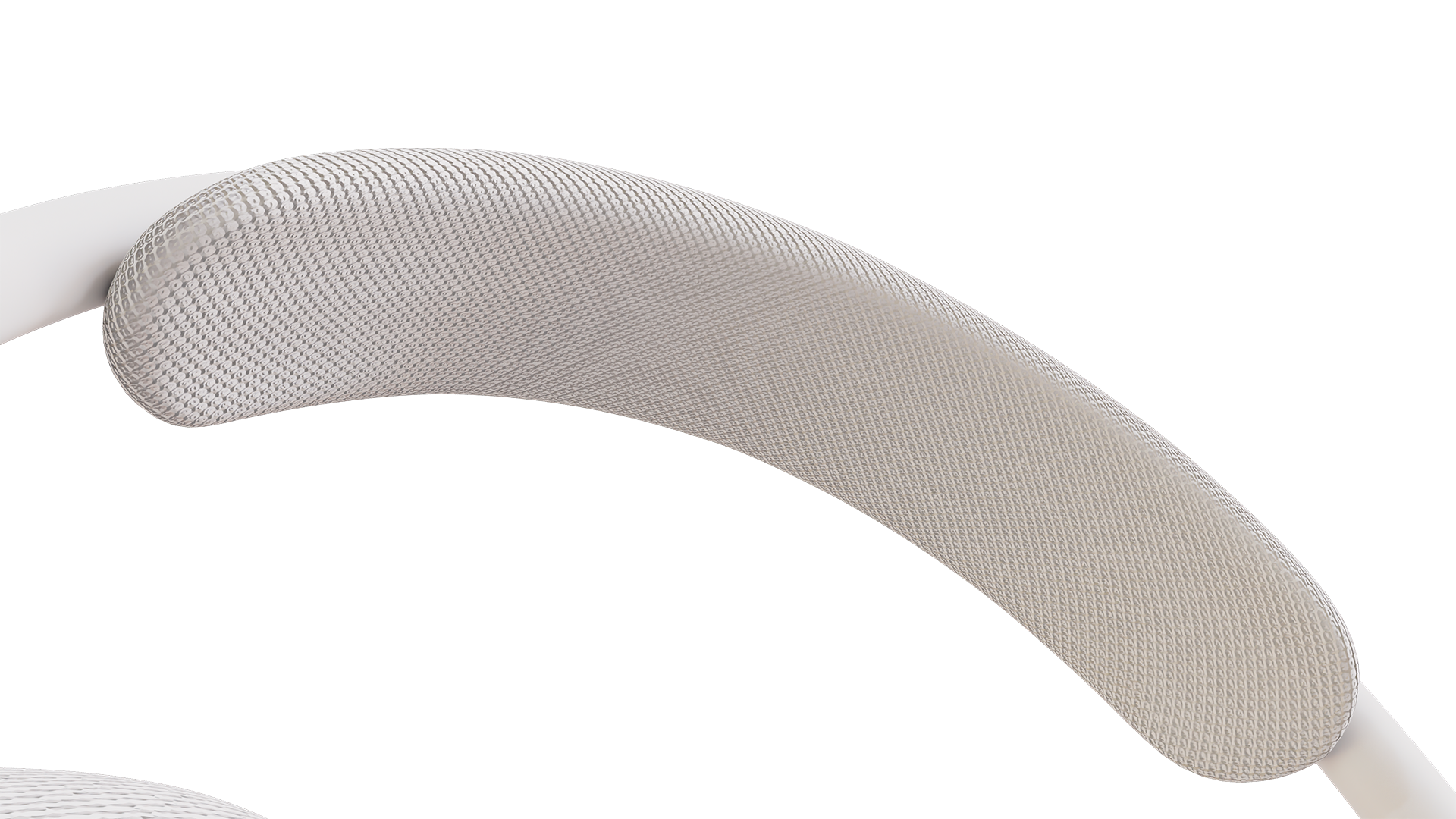
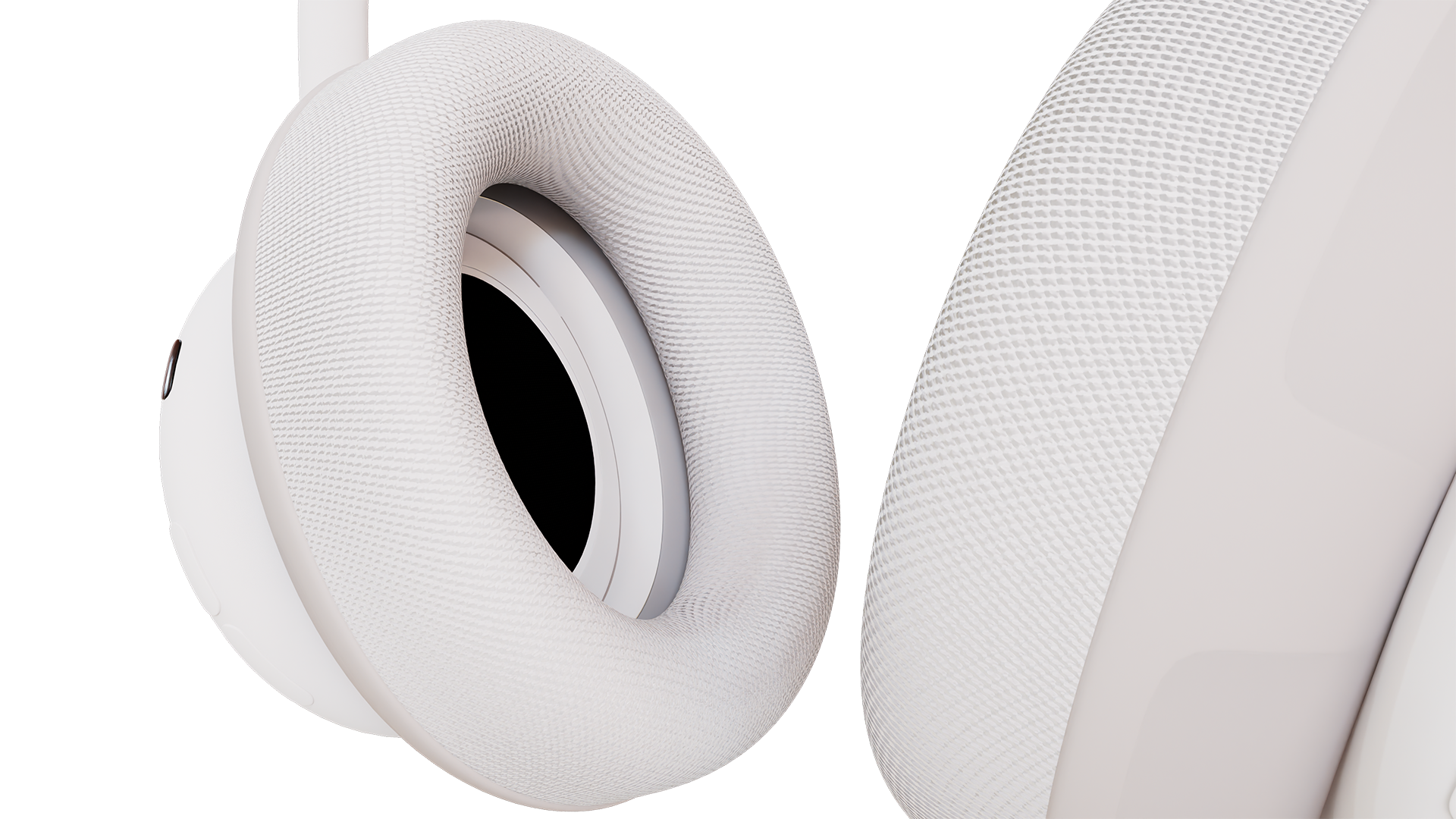
Beats is used as a conceptual product reference for this self-initiated project. This project is not affiliated with or commissioned by Beats or Apple.
The Idea
Generative AI can create visuals quickly, but product work becomes more challenging when the design itself needs to stay accurate.
For this project, I wanted to explore a workflow where AI does not replace the product asset. Instead, the 3D model remains the source of truth while AI is used to explore color, environments, campaign directions, and motion around it.
The goal was to build a workflow that could move between 3D production, generative exploration, art direction, and final campaign output without losing product consistency.
workflow
3D Product Asset
Product-Accurate Reference System
Controlled Generative Variation
AI Campaign Art Direction
Source-Locked Composite
Multi-Format Outputs
Reference-Based Motion
01 — BUILDING THE PRODUCT FOUNDATION
Rhino / Maya / materials / turntable / reference assets
UNDERSTANDING THE PRODUCT
PRODUCT UNDERSTANDING & CONSISTENCY
I began by studying the product’s proportions, construction, materials, and defining details. The goal was to establish a clear visual reference before introducing generative AI, so that each later exploration could evolve creatively without losing the product’s identity or overall brand language.
FROM CAD TO VISUALIZATION
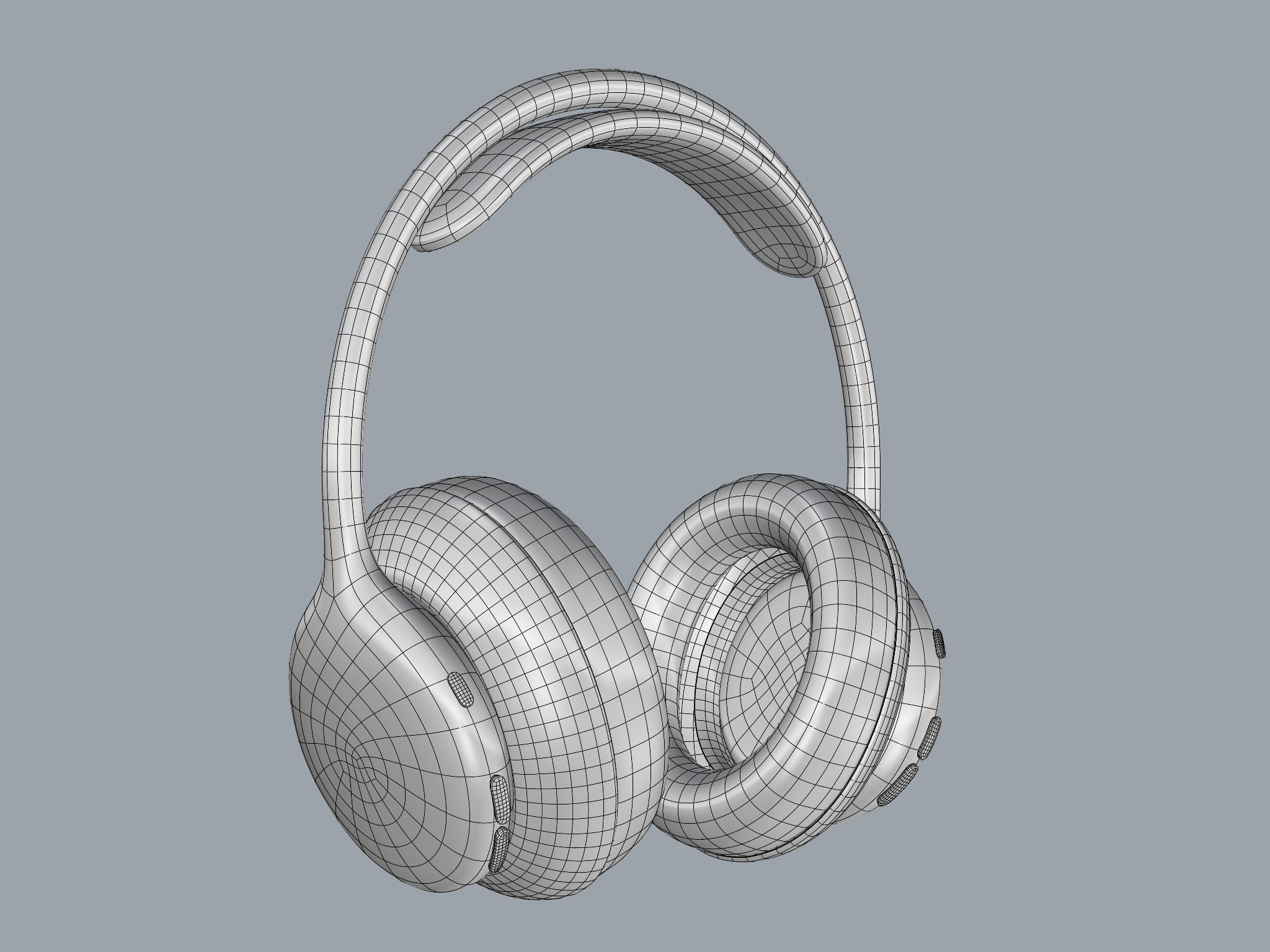
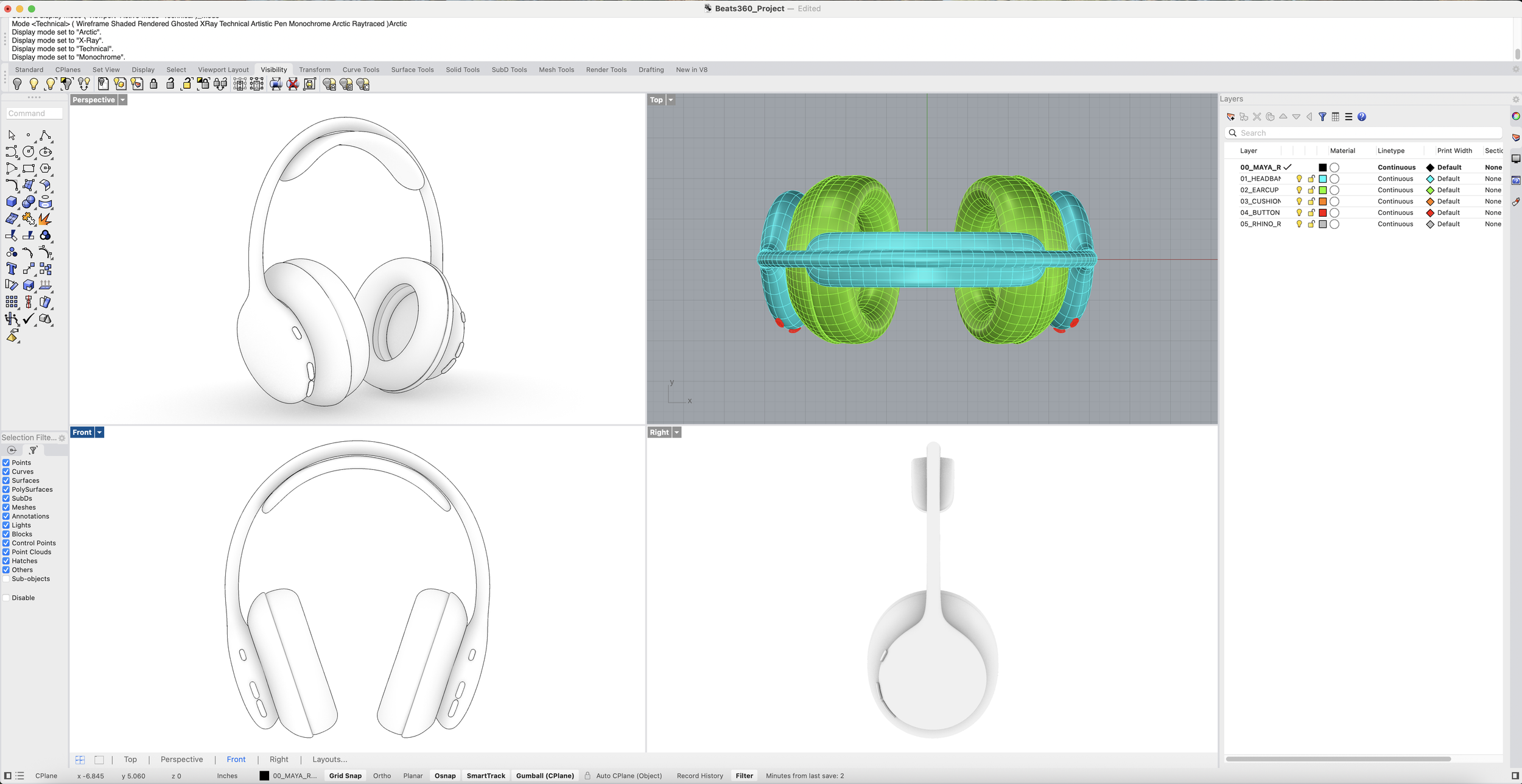
I reviewed and organized the model in Rhino, separating key components and checking the geometry before moving into Maya for materials, lighting, and rendering.
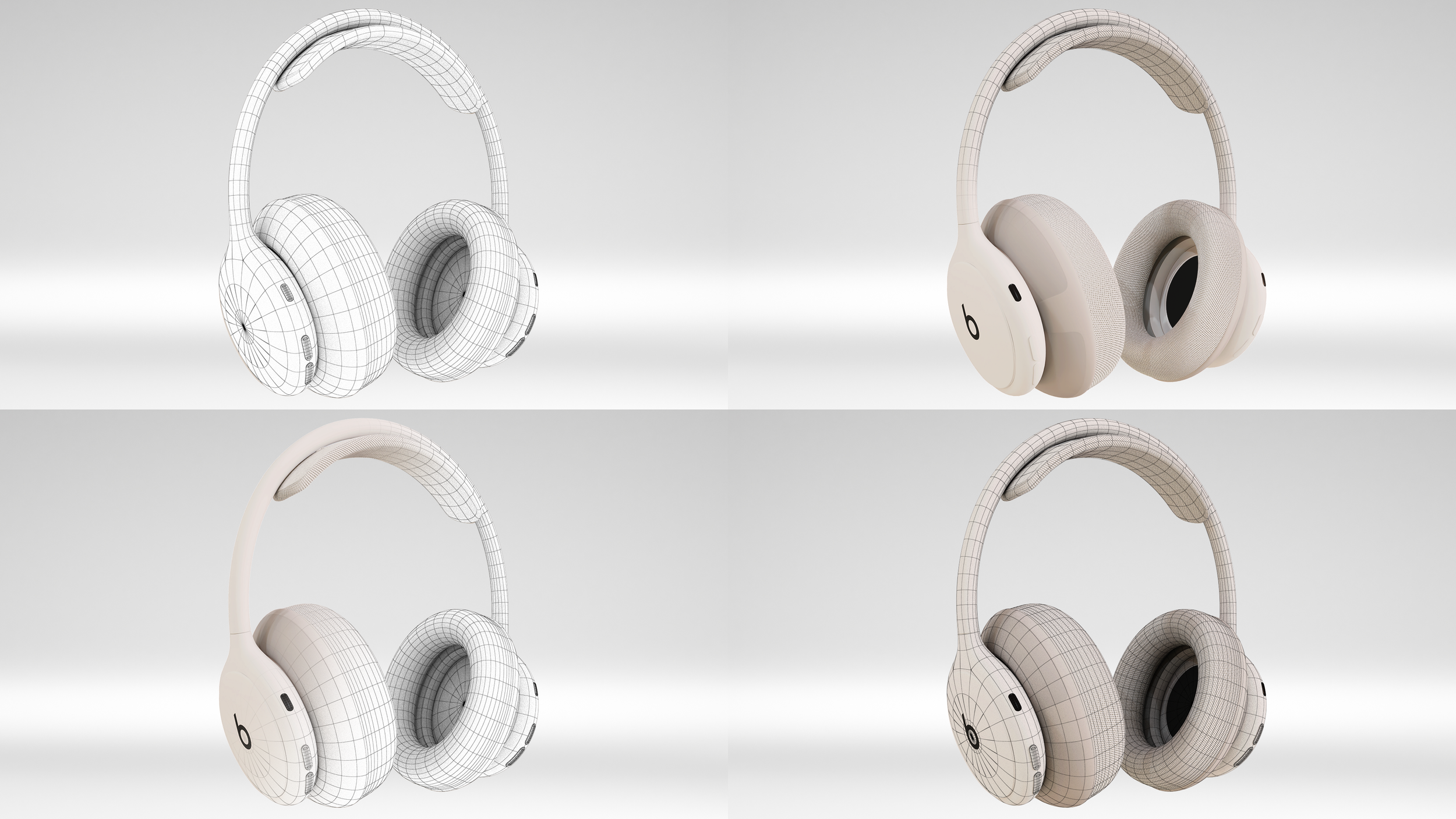
FROM GEOMETRY TO VISUALIZATION
Once the model was organized in Rhino, I moved it into Maya and started building the visualization setup. I checked the geometry again, adjusted small details, and prepared the asset for materials, lighting, and final rendering.
LOOK DEVELOPMENT
I tested the model through wireframes and shaded views before developing the final material direction. This helped me check how the form, surface, and proportions were reading before moving into the final render setup.
TURNTABLE AS A 360° REFERENCE
Once the materials and look development were complete, I generated a turntable sequence of the product. This became a reliable 360-degree visual reference for the generative AI workflow, helping preserve the product’s form and identity across outputs without unwanted distortion.
02 — EXPLORING WITH GENERATIVE AI
Color variation / material reference / controlled product changes
FROM 3D ASSETS TO CONTROLLED VARIATION
I brought the Maya product renders, material references, masks, and turntable into the generative workflow as controlled inputs. Using the 3D asset as the visual anchor, I explored targeted variations such as cushion color while keeping the product form, proportions, and overall identity consistent.
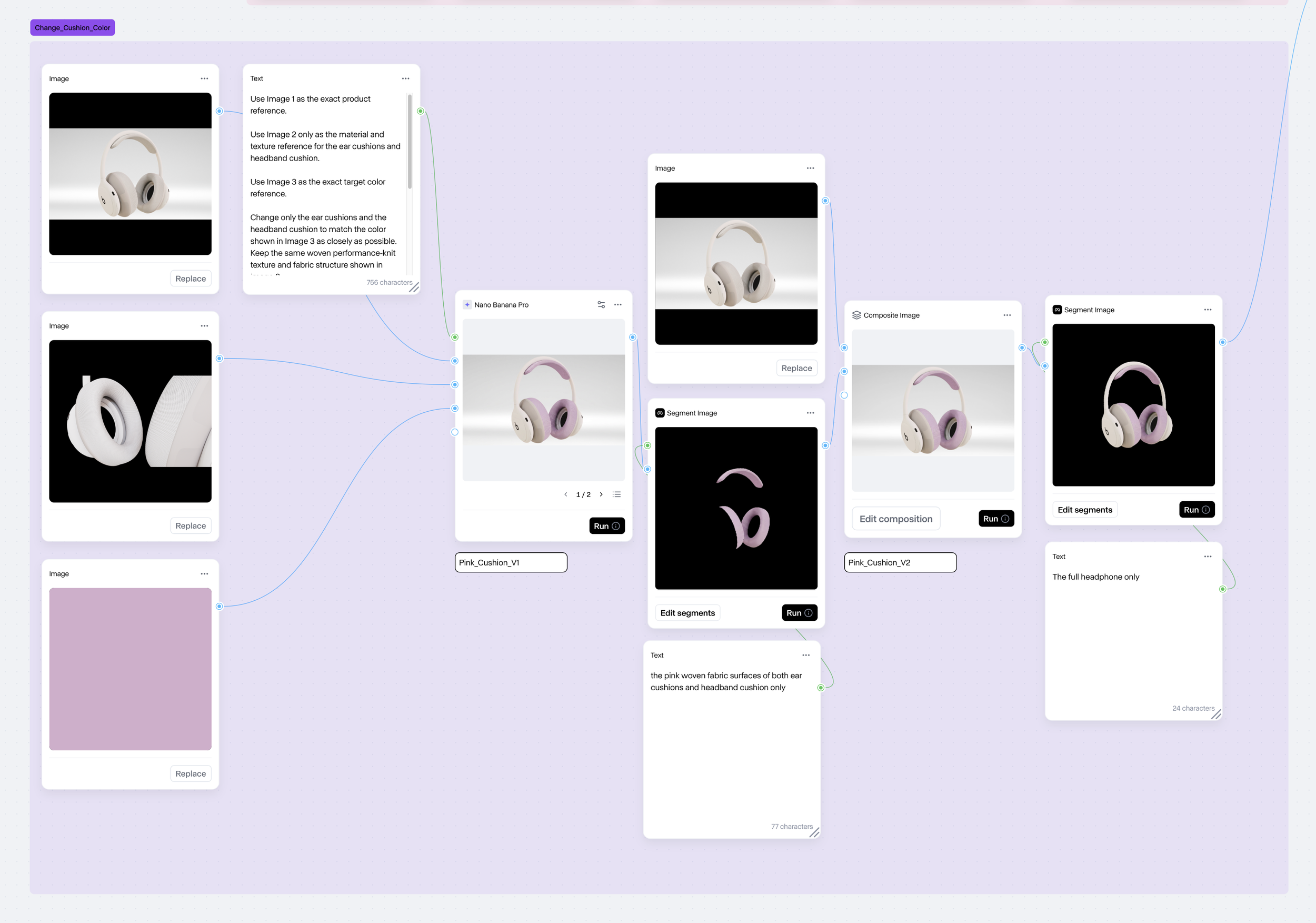
As unintended transformations appeared during the generative process, I introduced additional nodes to control specific areas and preserve the product’s core identity.
I combined the 3D product render, material reference, and target color to generate a controlled cushion variation while preserving the original product form and material quality.
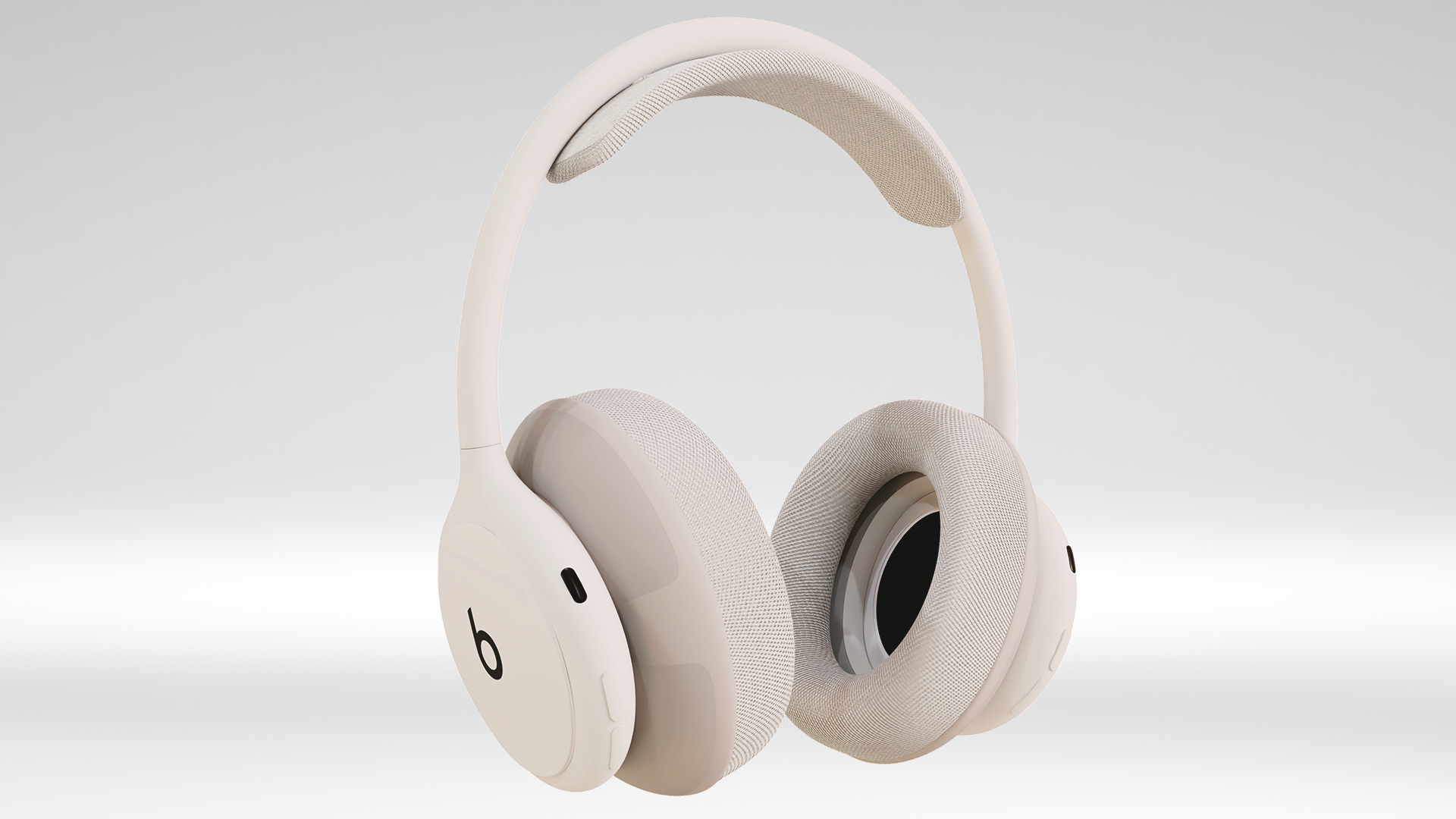
3D Product Render
Material Reference
Target Color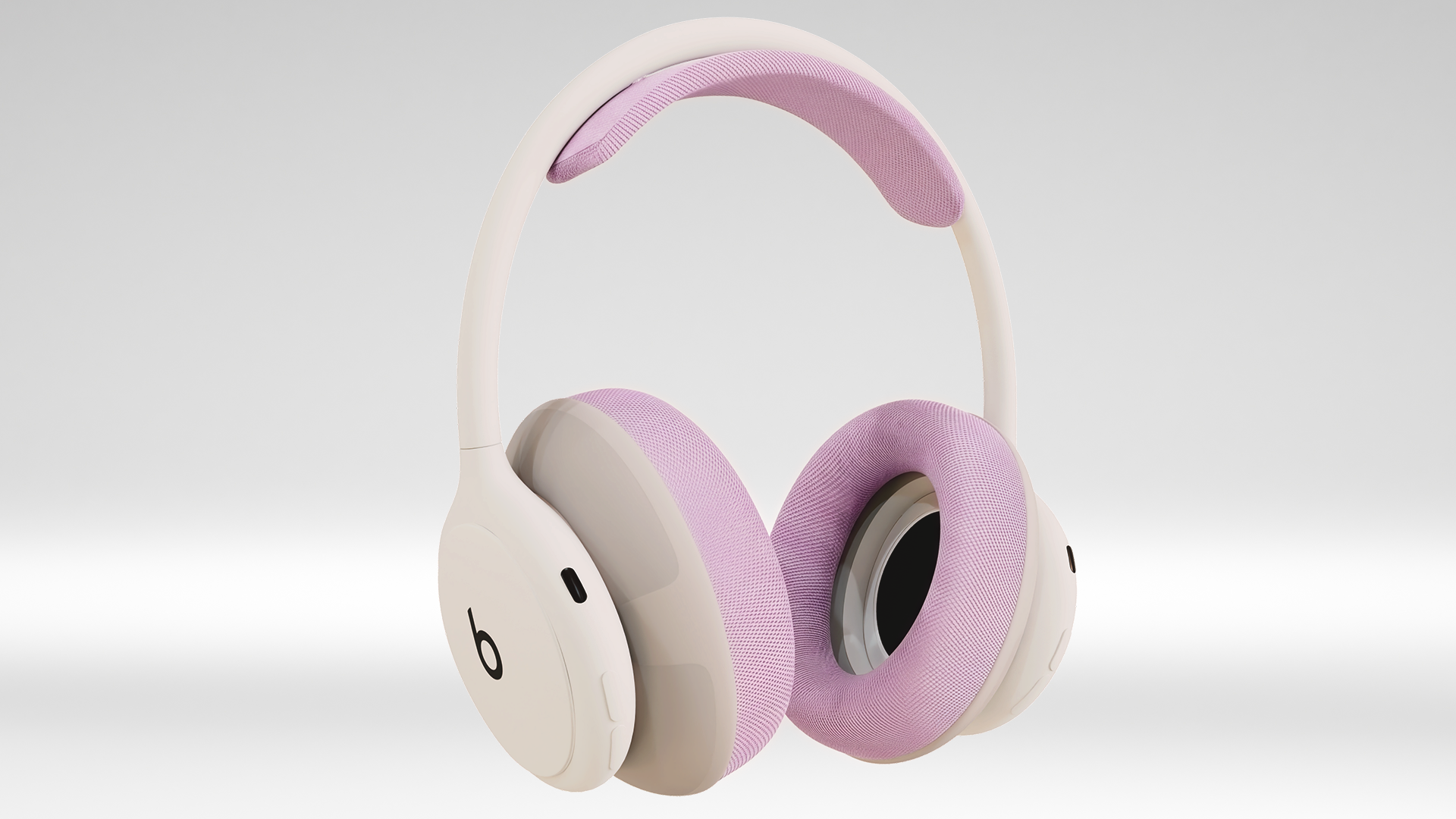
Generated Color Variation03 — DEVELOPING THE CAMPAIGN WORLD
Environment generation / art direction / floral landscape / compositing
FROM REFERENCES TO CAMPAIGN ENVIRONMENT
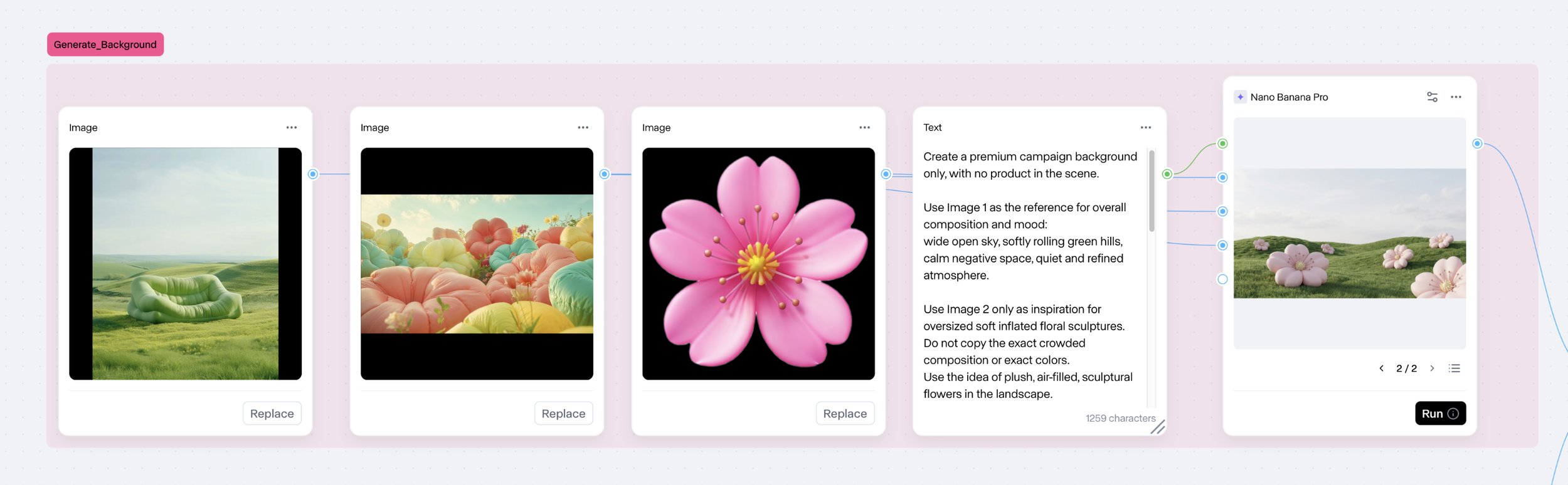
After establishing the product variation, I moved into campaign development by combining visual references with specific roles. One reference guided the overall composition and mood, another informed the soft inflated forms, and a third defined the floral shape language.
Rather than asking the model to invent the entire scene freely, I used each reference intentionally to build a more controlled and consistent campaign environment.
BUILDING THE CAMPAIGN SYSTEM
With the product variation and environment established, I combined them into a single campaign direction and refined the composition through additional visual references. The final image then became the master asset for multiple formats, allowing the same product identity, color palette, and art direction to carry across each output.
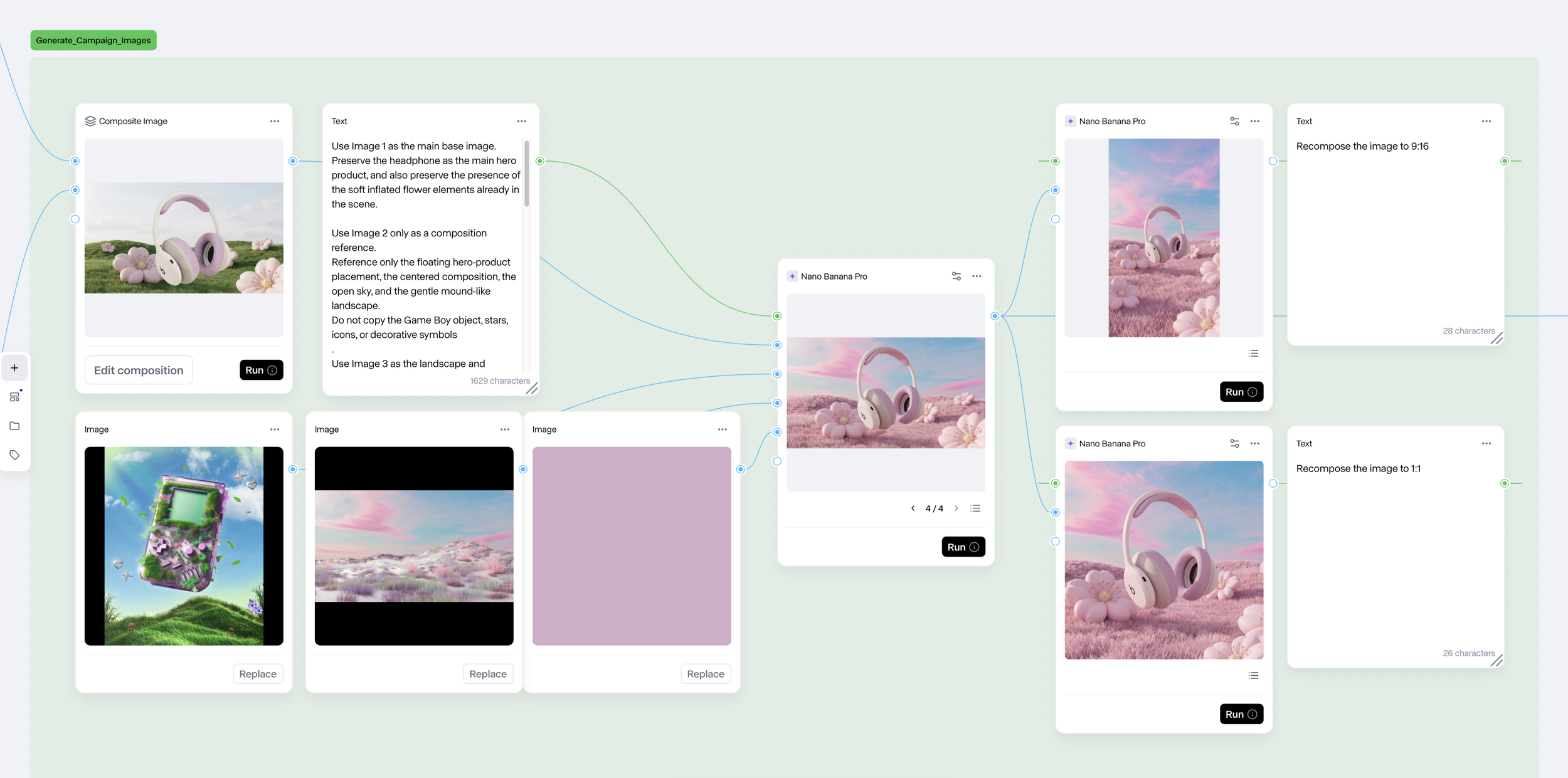
With the product variation and campaign environment established separately, I brought the two together into a single visual direction. The product remained the controlled reference, while the environment could be further adjusted through color, composition, and atmosphere. This allowed the campaign to evolve without losing the product’s form or identity.
3D Product Variation
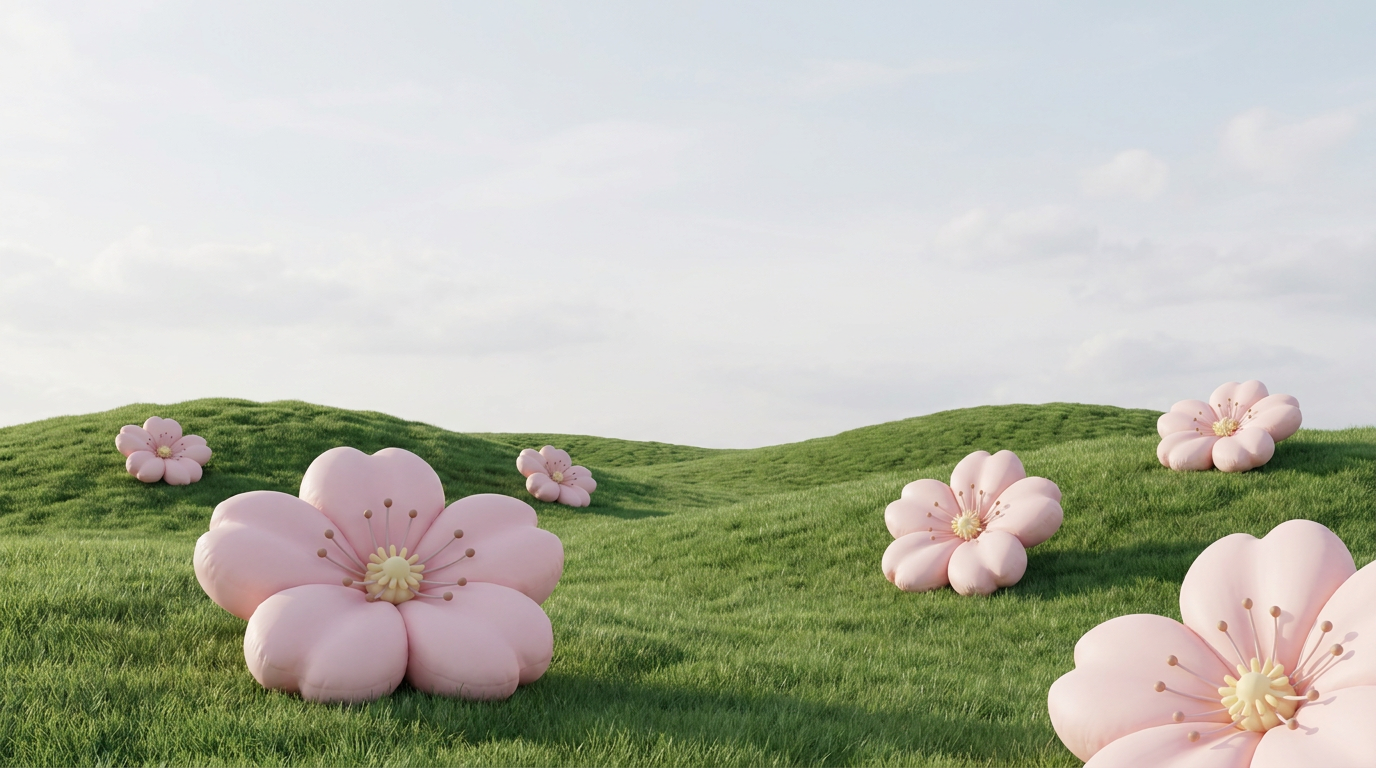
Campaign Environment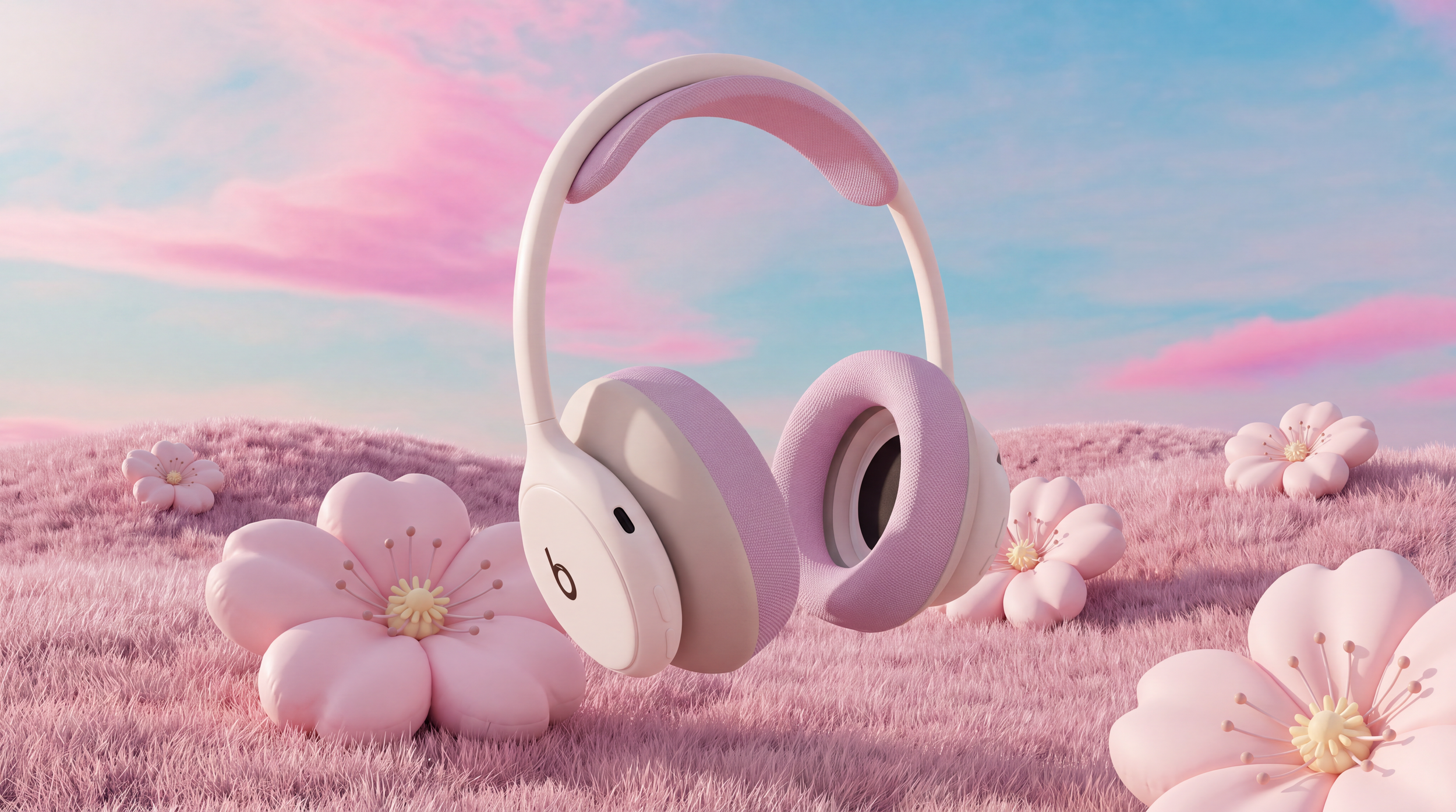
Final Campaign Visual16:9 / 1:1 / 4:5 / 9:16 / 4K outputs
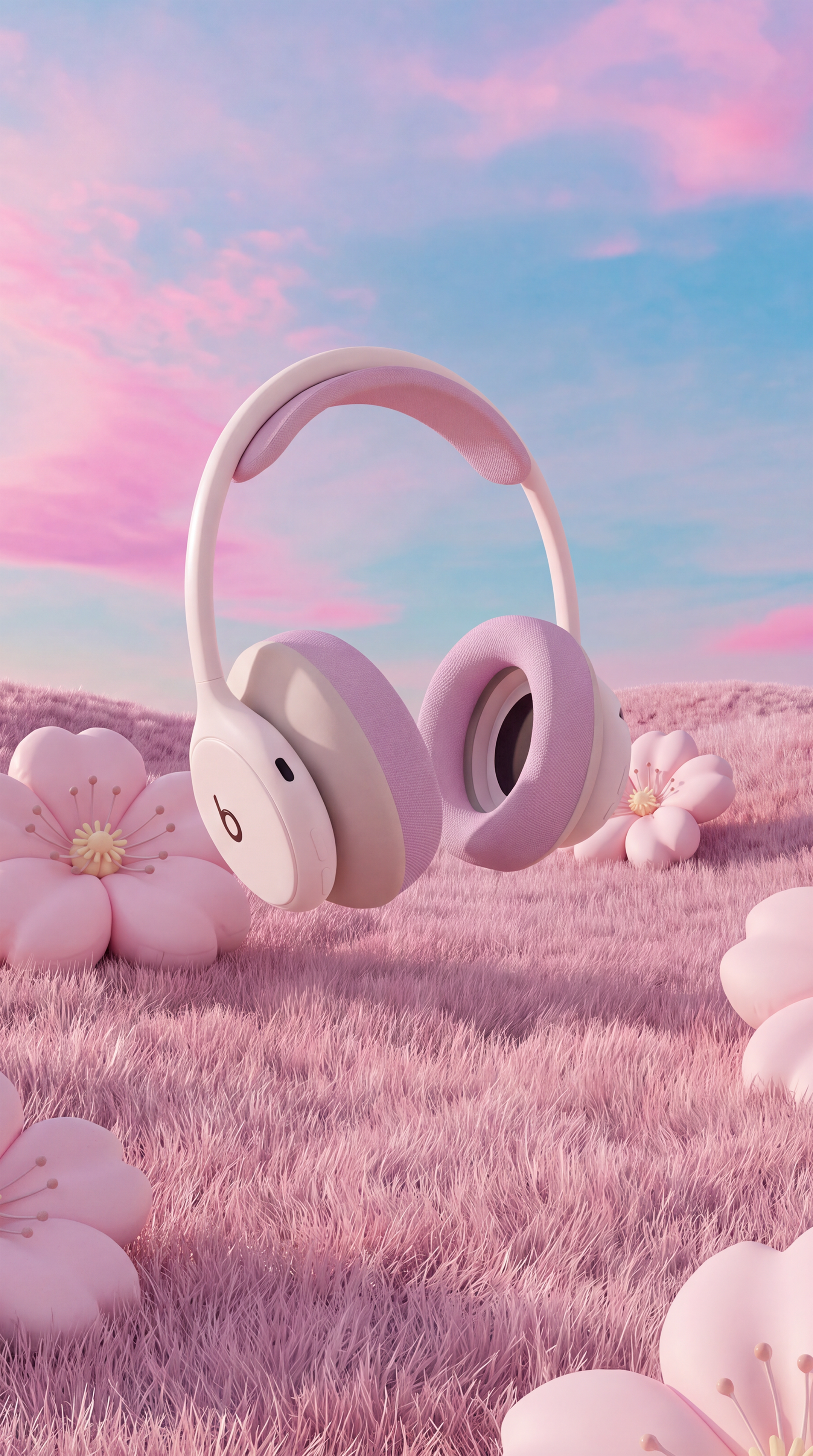
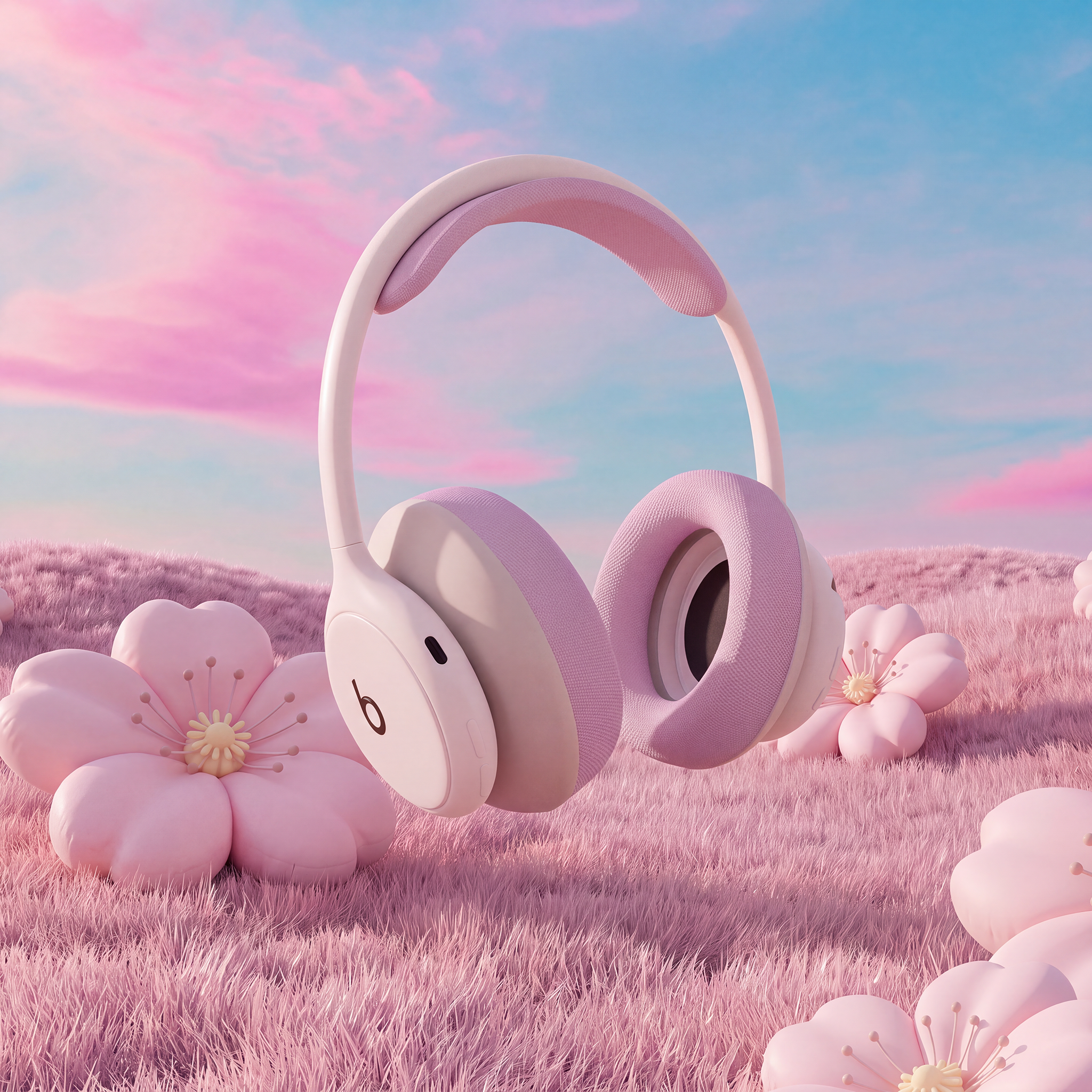
Once the master campaign visual was established, I adapted it across multiple aspect ratios for different placements and platforms. Rather than regenerating each format from scratch, I used the original campaign image as the visual anchor, preserving the product, color palette, floral elements, and overall art direction while recomposing the scene for each frame.
04 — ADAPTING THE CAMPAIGN SYSTEM
05 — BRINGING THE CAMPAIGN TO MOTION
Maya turntable reference / AI video / final campaign motion
REFERENCE-DRIVEN MOTION
I combined the final campaign still with a Maya turntable reference to generate the motion sequence. The campaign image defined the product look and environment, while the turntable guided the headphone’s rotation, helping maintain product consistency throughout the animation.
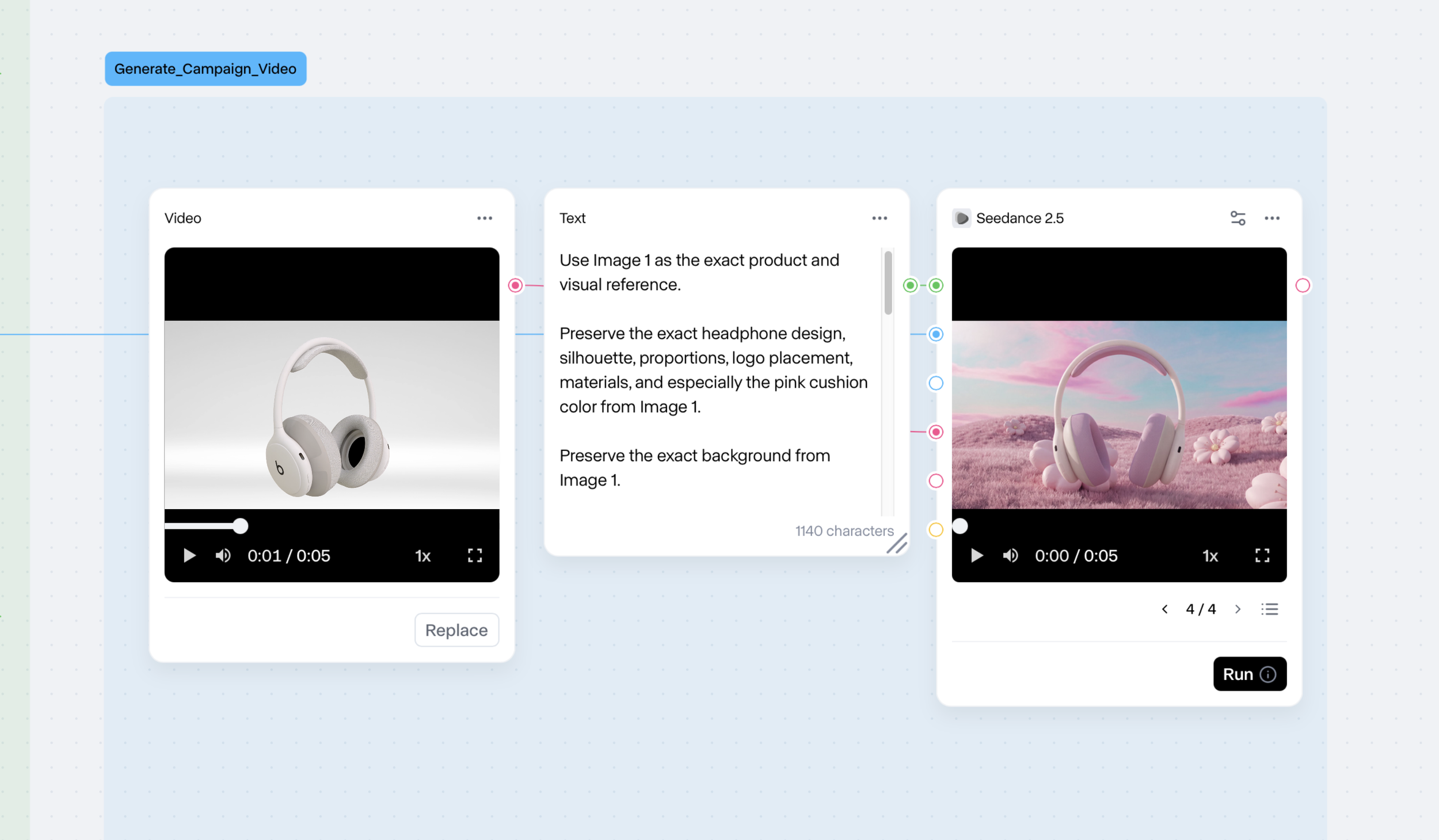
Rather than asking the model to invent unseen product angles, the 3D turntable provided a more reliable reference for how the headphones should rotate throughout the shot.
Maya Turntable
Final Campaign VisualFinal Campaign VideoAI as an extension of the creative process, not a replacement for it.
This project became less about generating a single image and more about building a workflow that could connect 3D, design, and generative AI.
I learned that the most useful role of AI was not replacing the original product asset, but helping me explore new directions while keeping a clear source of truth. By combining structured 3D references with generative tools, I was able to experiment more freely without losing control of the product’s form, material, and identity.
I see this workflow as a starting point for exploring how generative AI can become part of a more practical and production-ready creative process.